![QMetrix_Logo_Email.png]](https://customers.qmetrix.com.au/hs-fs/hubfs/QM_Branding/QMetrix_Logo_Email.png?height=40&name=QMetrix_Logo_Email.png)
Labels can be added to a report through the "Labels" property on the OfficeConnect ribbon.
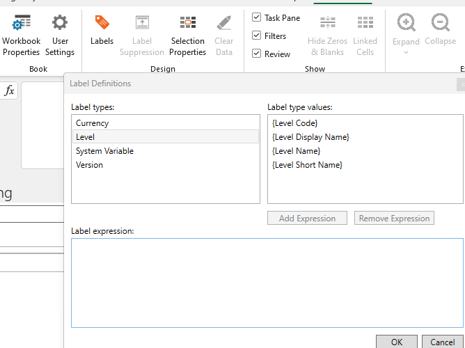
In the label expression you can also add text before and after the label value.
To remove an existing label from a report, select the cell where the label has been applied, open Labels and select Remove Expression.
To see this in action, watch the video below.